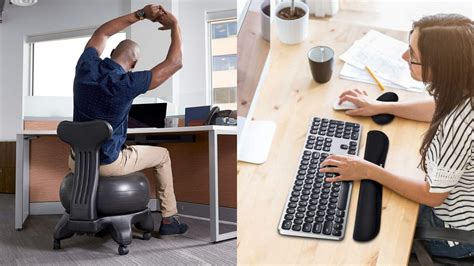



Which ergonomic gear boosts WFH focus & mitigates strain for sustained performance?
The Imperative of Ergonomics in Your Home Office
The rise of remote work has transformed countless living spaces into professional workstations. While the flexibility of working from home (WFH) offers numerous advantages, it also brings unique challenges, particularly concerning physical well-being and sustained productivity. An improperly set up home office can lead to discomfort, pain, reduced focus, and long-term health issues like carpal tunnel syndrome, back pain, and eye strain. Investing in ergonomic gear isn’t just a luxury; it’s a strategic necessity for anyone looking to maintain peak performance and mitigate the physical toll of prolonged computer use.
Ergonomics is the science of designing and arranging workspaces to fit the user, rather than forcing the user to fit the workspace. For WFH professionals, this means selecting tools that support natural posture, reduce repetitive strain, and optimize the environment for concentration. But with a plethora of products on the market, which gear truly makes a difference?
The Foundation: Ergonomic Office Chairs
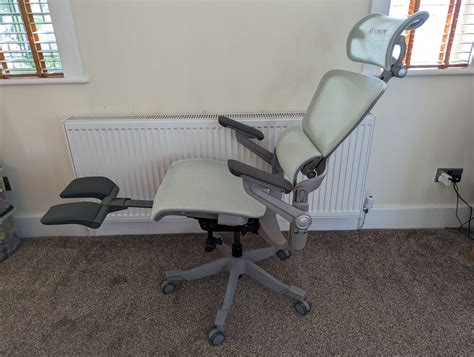
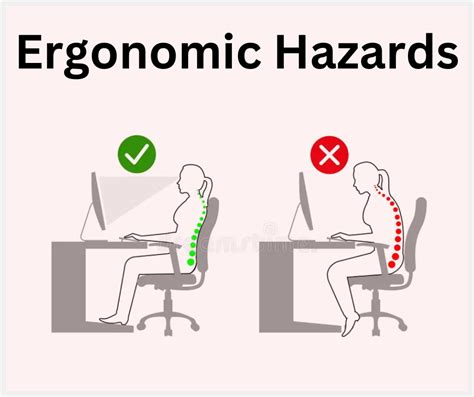
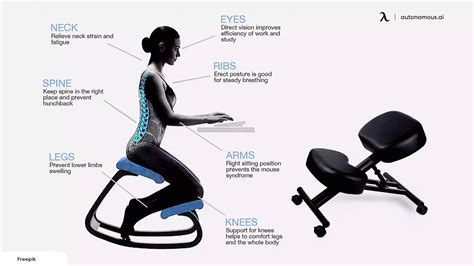
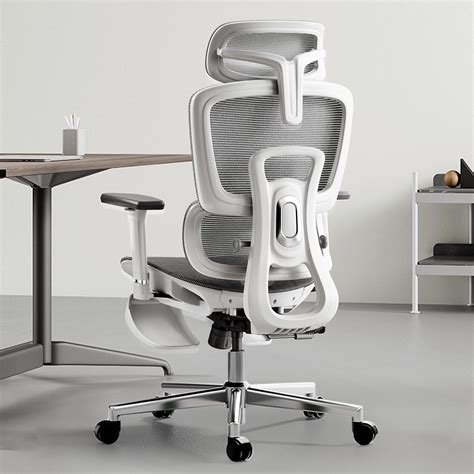
An ergonomic chair is arguably the single most important investment for a home office. Unlike standard dining chairs or sofas, ergonomic office chairs are designed with adjustability in mind, allowing you to customize support for your unique body type. Key features to look for include adjustable seat height, seat depth, lumbar support, armrests, and recline tension. A good ergonomic chair promotes a neutral spine position, reduces pressure on your lower back, and improves circulation, which collectively enhances comfort and prevents fatigue over long working hours.
Sitting properly helps maintain an open posture, allowing for better breathing and reducing the likelihood of slumping. This improved physical comfort directly translates to increased mental focus and sustained energy throughout your workday, preventing the mid-afternoon slump often associated with uncomfortable seating.
Dynamic Workstation: Adjustable Standing Desks
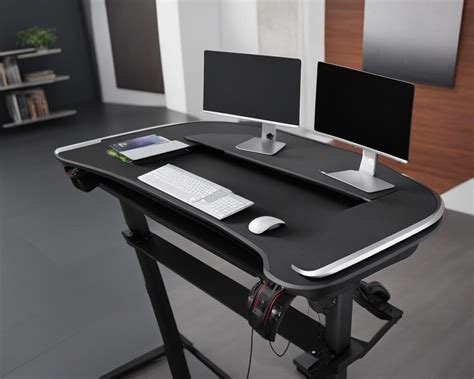
While an ergonomic chair is crucial, static sitting for eight hours a day, even in the best chair, isn’t ideal. An adjustable standing desk, also known as a sit-stand desk, offers the flexibility to alternate between sitting and standing throughout your day. This movement is vital for circulation, muscle engagement, and combating the negative effects of prolonged sedentary behavior.
Regularly changing your posture can reduce back pain, increase energy levels, and even boost calorie expenditure. Studies suggest that standing for parts of the day can improve mood and reduce feelings of stress. When choosing a standing desk, consider electric models for effortless height adjustments and ensure it’s sturdy enough to hold all your equipment safely. Integrating a standing desk into your routine can significantly improve overall well-being and sustained concentration.
Optimizing Visuals: External Monitors and Arms
Working solely on a laptop often leads to poor posture, as users tend to hunch over to see the screen clearly. An external monitor, paired with a monitor arm, is a game-changer for ergonomics. An external monitor allows you to position the screen at eye level, preventing neck and shoulder strain. Dual monitors can further enhance productivity by providing ample screen real estate, reducing the need to constantly switch between windows.
A monitor arm offers superior flexibility, allowing you to adjust height, tilt, swivel, and depth to achieve the perfect viewing angle, whether you’re sitting or standing. Position your monitor an arm’s length away, with the top of the screen at or slightly below eye level. This setup minimizes eye strain and encourages a healthier, more upright posture, allowing you to stay focused for longer periods without discomfort.
Healthy Inputs: Ergonomic Keyboards and Mice
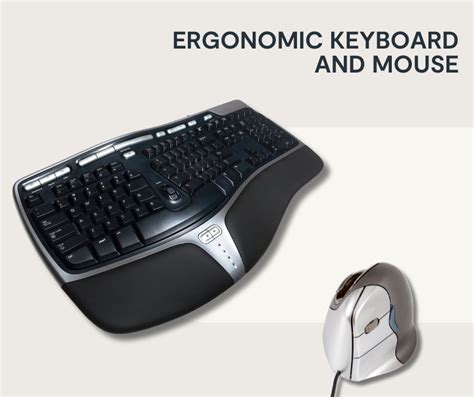
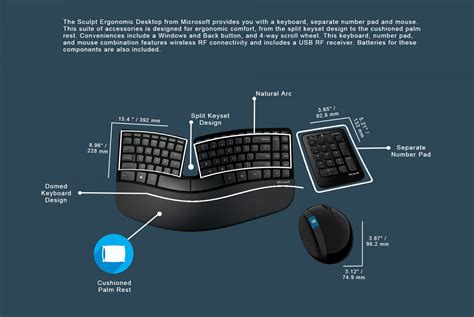
Your input devices are a direct point of contact with your computer for hours each day, making their ergonomic design critical. Standard keyboards and mice can force your wrists into unnatural angles, leading to repetitive strain injuries (RSIs) such as carpal tunnel syndrome. Ergonomic keyboards, often split or contoured, allow your wrists and forearms to maintain a more neutral, relaxed position.
Similarly, an ergonomic mouse, such as a vertical mouse or trackball mouse, reduces wrist pronation and minimizes unnecessary hand movements. These devices are designed to fit the natural curve of your hand, reducing stress on tendons and joints. While they might take a short period to get used to, the long-term benefits in preventing pain and discomfort are substantial, ensuring you can type and navigate with precision and comfort for extended durations.
Essential Accessories for Enhanced Comfort
Beyond the core items, several accessories can further refine your ergonomic WFH setup:
- Laptop Stand: If you use a laptop primarily, a stand elevates the screen to eye level, allowing you to use an external keyboard and mouse.
- Footrest: A footrest can improve circulation and reduce pressure on your lower back, especially if your feet don’t comfortably reach the floor while seated.
- Task Lighting: Proper lighting reduces eye strain. An adjustable desk lamp allows you to illuminate your workspace without glare on your screen.
- Anti-Fatigue Mat: For those using a standing desk, an anti-fatigue mat provides cushioning and encourages subtle movement, reducing strain on your feet and legs.
These seemingly small additions can collectively contribute to a significantly more comfortable and productive working environment.
Beyond Gear: The Benefits of an Ergonomic Setup
The advantages of an ergonomically designed home office extend far beyond simply preventing pain. When you’re comfortable and your body is properly supported, your mind is free to concentrate on your tasks. This leads to:
- Increased Focus and Concentration: Reduced discomfort means fewer distractions and greater cognitive bandwidth for work.
- Enhanced Productivity: A pain-free body and a focused mind naturally lead to more efficient and effective work output.
- Improved Mood and Well-being: Physical comfort contributes to overall mental health, reducing stress and increasing job satisfaction.
- Long-Term Health Benefits: Mitigating strain now prevents chronic issues in the future, allowing for a longer, healthier career.
Conclusion: Invest in Your WFH Well-being
Optimizing your home office with ergonomic gear is a crucial investment in your health, happiness, and long-term productivity. By prioritizing an ergonomic chair, an adjustable standing desk, external monitors, and comfortable input devices, you create a workspace that supports your body and empowers your mind. It’s about building a sustainable work environment that not only prevents strain but actively boosts your focus, allowing for sustained, high-quality performance in the evolving landscape of remote work. Don’t compromise on your well-being; equip yourself with the tools for a healthier, more productive WFH experience.