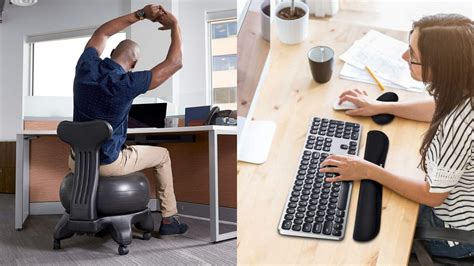




Which ergonomic gear setup minimizes fatigue and maximizes peak daily focus?
The Foundation of Comfort and Concentration
In today’s demanding work environments, whether in a corporate office or a home setup, physical discomfort can be a significant roadblock to productivity and sustained focus. An improperly configured workspace leads to aches, pains, and ultimately, fatigue, drastically reducing your ability to concentrate and perform at your peak. Investing in an ergonomic gear setup isn’t merely about comfort; it’s a strategic investment in your health, well-being, and professional effectiveness.
This article will delve into the essential components of an ergonomic workstation, explaining how each piece of gear contributes to minimizing physical strain and cultivating an environment where peak daily focus can thrive.
The Cornerstone: An Ergonomic Chair
The ergonomic chair is arguably the most critical piece of your setup. A good chair provides proper lumbar support, allowing your spine to maintain its natural S-curve, preventing slouching and reducing pressure on your lower back. Key features to look for include adjustable seat height, depth, armrests, and back support. When properly adjusted, your feet should be flat on the floor or a footrest, knees at a 90-degree angle, and forearms parallel to the desk.
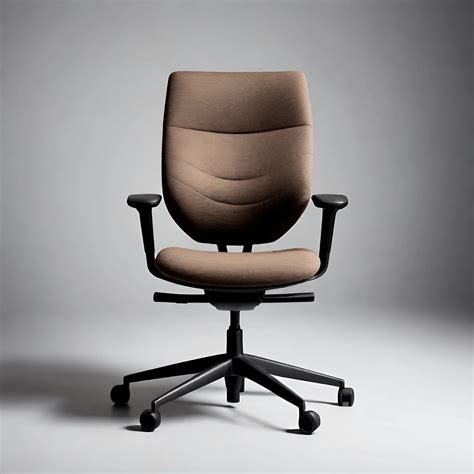
The right chair minimizes muscle strain, improves circulation, and creates a stable base from which you can maintain an alert and comfortable posture for extended periods, directly impacting your mental endurance.
Dynamic Workspaces: Standing Desks and Monitor Arms
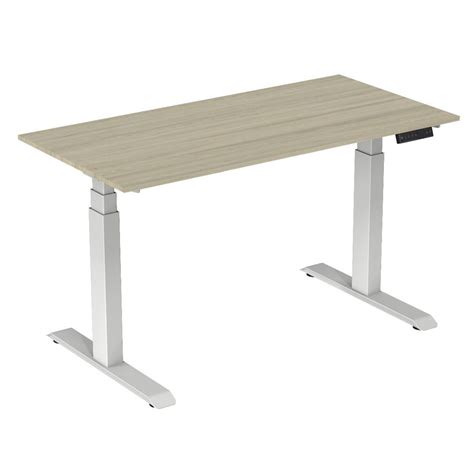
Static posture, whether sitting or standing, can be detrimental over time. An adjustable standing desk allows you to seamlessly transition between sitting and standing throughout the day, mitigating the risks associated with prolonged sitting and boosting energy levels. This movement encourages better blood flow and reduces stiffness, which can contribute to mental fogginess.
Complementing this is a monitor arm, which provides crucial flexibility in monitor placement. Your monitor should be positioned at arm’s length, with the top of the screen at or slightly below eye level. This prevents neck strain and eye fatigue, ensuring your gaze remains natural and comfortable. Using multiple monitors? Ensure they are aligned for minimal head turning.
Precision Tools: Ergonomic Keyboards and Mice
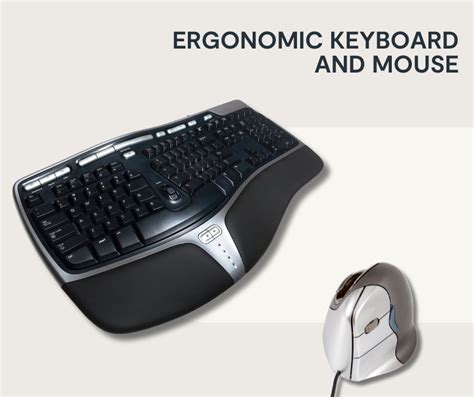
Your interaction tools—keyboard and mouse—are often overlooked but are critical for preventing repetitive strain injuries (RSIs) like carpal tunnel syndrome. Ergonomic keyboards, often split or curved, encourage a more natural hand and wrist position, reducing pronation and ulnar deviation. Similarly, ergonomic mice, such as vertical or trackball designs, minimize wrist extension and deviation, promoting a neutral wrist posture.
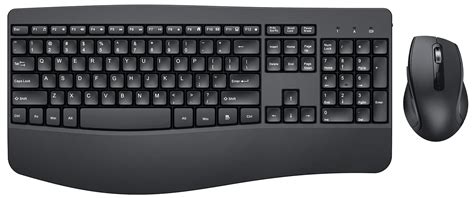
By alleviating strain on your wrists, hands, and arms, these tools allow you to type and navigate for longer without discomfort, keeping your focus on the task at hand rather than simmering pain.
Visual Comfort: Optimal Monitor Placement and Lighting
Eye strain is a common source of fatigue. Beyond proper monitor height, ensuring adequate and appropriate lighting is essential. Position your workstation to avoid glare on your screen from windows or overhead lights. Natural light is ideal, but if not available, use diffuse, non-glaring task lighting. Also, adjust your monitor’s brightness, contrast, and text size to suit your eyes.
Beyond Gear: Integrating Healthy Habits
While cutting-edge ergonomic gear forms the backbone of a fatigue-reducing, focus-enhancing setup, it’s not a standalone solution. Regular micro-breaks are indispensable. Implement the 20-20-20 rule: every 20 minutes, look at something 20 feet away for 20 seconds to rest your eyes. Incorporate short stretching routines, hydrate regularly, and take brief walks to improve circulation and clear your mind.
These habits, combined with your ergonomic tools, create a holistic approach to sustained well-being and peak performance. The best ergonomic setup is one that encourages dynamic movement and provides comfort for your individual body type and work style.
Crafting Your Optimal Work Environment
An optimal ergonomic setup is a personalized ecosystem designed to support your body’s natural alignment and prevent the cumulative stress that leads to fatigue. It integrates a supportive chair, a dynamic desk, precisely positioned monitors, and user-friendly input devices. Each component plays a vital role in creating a workspace that not only prevents discomfort but actively promotes mental clarity and sustained concentration.
![5 Steps to Setting Up an Ergonomic Workstation [Infographic]](/images/aHR0cHM6Ly90czQubW0uYmluZy5uZXQvdGg/aWQ9T0lQLkFEVjRVTXpQUmVGU1pCSXJTNHRzSWdIYUR0JnBpZD0xNS4x.webp)
By proactively addressing ergonomic principles, you empower yourself to work more efficiently, comfortably, and focused, unlocking your full potential throughout the day.