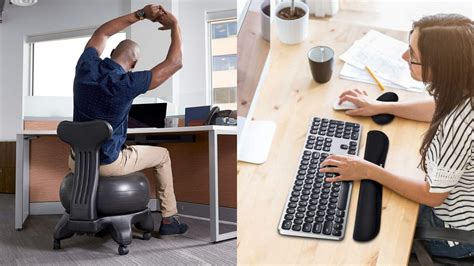




Ergonomic tech for peak desk performance & wellness?

In today’s fast-paced digital world, many of us spend countless hours tethered to our desks. While technology empowers us to achieve more, prolonged static postures and repetitive motions can lead to discomfort, pain, and even long-term health issues. The solution? Ergonomic technology. By strategically upgrading your workspace, you can transform your desk into a hub of efficiency, comfort, and well-being, paving the way for peak performance without compromising your health.
The Foundation: Your Ergonomic Command Center
The Ergonomic Chair
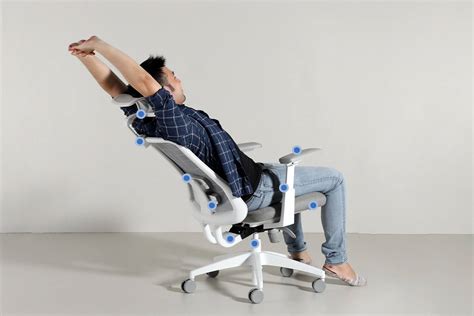
A good ergonomic chair is arguably the most critical piece of your desk setup. It should support the natural curve of your spine, promote good posture, and be highly adjustable. Look for features like lumbar support, armrests that allow your arms to form a 90-degree angle, seat depth and height adjustments, and a recline function. Investing in a high-quality ergonomic chair can dramatically reduce back pain and fatigue.
The Standing Desk Revolution
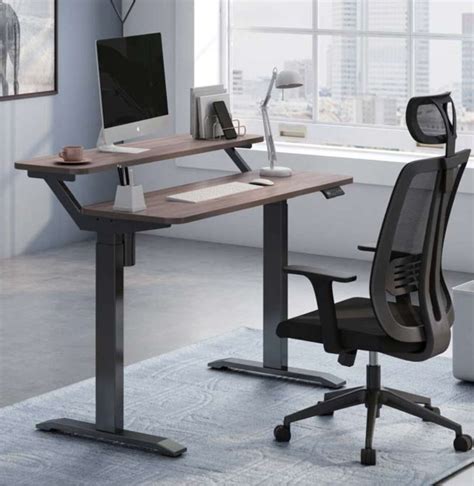
Sitting for extended periods has been linked to various health risks. Standing desks, or sit-stand desks, offer the flexibility to alternate between sitting and standing throughout the day. This dynamic approach can improve circulation, reduce the risk of cardiovascular disease, and boost energy levels. Many modern standing desks come with electric motors and programmable height presets, making transitions seamless.
Smart Inputs: Mice and Keyboards That Care
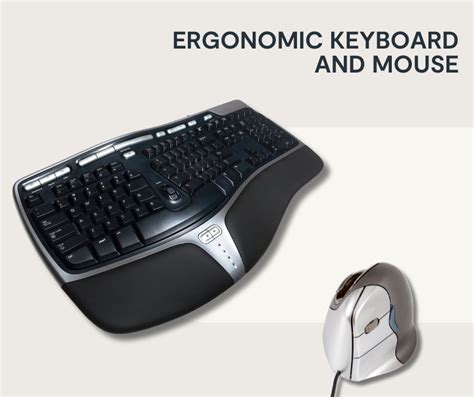
Your hands and wrists are particularly vulnerable to repetitive strain injuries (RSIs) like carpal tunnel syndrome. Ergonomic input devices are designed to keep your hands in a more natural, neutral position.
Ergonomic Keyboards
Traditional keyboards can force your wrists into unnatural angles. Ergonomic keyboards often feature split designs, tenting (raised in the middle), or negative tilt (sloping downwards away from you) to minimize wrist extension and pronation. Some even integrate wrist rests to provide support.
Ergonomic Mice
Vertical mice, trackball mice, and even pen mice aim to reduce wrist pronation (twisting) and the need for repetitive gripping. A vertical mouse keeps your hand in a ‘handshake’ position, which many find more comfortable for prolonged use, reducing strain on the wrist and forearm.

Visual and Audio Comfort: Protecting Your Senses
Monitors and Monitor Arms
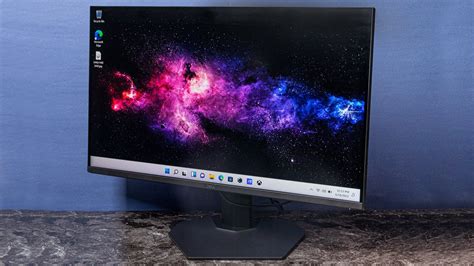
Screen placement is crucial for neck and eye health. Your monitor should be at arm’s length, with the top of the screen at or slightly below eye level. A monitor arm allows for precise positioning, easy height adjustment, and frees up valuable desk space. For dual-monitor setups, consider a dual monitor arm to ensure both screens are ergonomically aligned.
Headphones for Focus and Comfort
While not strictly ‘ergonomic’ in the same way a chair is, comfortable headphones can significantly contribute to wellness and performance by reducing distractions and preventing audio fatigue. Look for lightweight, over-ear headphones with soft earcups and good sound isolation if you work in a noisy environment. Wireless options offer freedom of movement, reducing cable clutter.
Beyond the Essentials: Enhancing Your Ecosystem
Once the core components are addressed, several other ergonomic accessories can fine-tune your workspace for ultimate comfort and productivity.
Ergonomic Footrests
If your feet don’t sit flat on the floor while using your ergonomic chair, a footrest can provide proper support and improve circulation. It helps maintain the recommended 90-degree angle at your hips and knees, preventing slouching.
Task Lighting
Proper lighting reduces eye strain and headaches. An adjustable task lamp allows you to illuminate your workspace effectively without glare, especially crucial during long hours or in low-light environments.
Posture Correctors and Balance Boards
While not replacements for proper ergonomic equipment, tools like posture correctors can offer temporary reminders for good posture, and balance boards used with standing desks can encourage subtle movement and core engagement, further combating static postures.
The Wellness Payoff: Boosted Performance and Health
Integrating ergonomic tech into your workspace isn’t just about comfort; it’s a strategic investment in your long-term health and productivity. By reducing physical strain, discomfort, and the risk of RSIs, you can experience increased focus, improved mood, and sustained energy levels throughout your workday. This leads to higher quality work, fewer breaks due to pain, and a greater overall sense of well-being.
Conclusion
Don’t let your desk setup be a source of discomfort. Take a holistic approach to your workspace, starting with an ergonomic assessment of your current tools and habits. Gradually upgrade to ergonomic chairs, standing desks, and input devices, and pay attention to monitor placement and lighting. Your body and your performance will thank you, allowing you to achieve peak desk performance while safeguarding your wellness for years to come.